There's no single best resume template. The right one depends on how your resume will be read, the industry you're applying to and the country the employer is in. A bold yellow design that wins a call back from a start-up founder can get lost in a bank's application portal, and a plain one-column page that sails through the portal can be forgotten by a busy hiring manager.
So instead of one winner, here are the ten templates we'd pick for the most common situations, with the reasons. Every one of them is free in Remote's resume builder, fills in from your profile and downloads as a PDF with real, readable text.
The quick picks
| Your situation | Best template | Why |
|---|---|---|
| Customer service and support | Sapphire Sidebar | Friendly, orderly, easy to scan |
| Big company careers portals | Ivy Classic | One column, reads perfectly in ATS |
| First job or career change | Skills Focus | Skills stand out as coloured tags |
| You want to be remembered | Volt Diamond | Bold yellow, impossible to miss |
| Technical support and IT | Marquee Band | Structured, confident, rating dots |
| Senior and executive roles | Monarch Executive | Space, hierarchy, quiet authority |
| Europe, the Gulf and Asia | Elegant Portrait | Built around a photo |
| Social media and community | Blush Studio | Warm, creative, still readable |
| Fitting a lot on one page | Sidebar Profile | Sidebar for skills and languages |
| Printing or in-person events | Canary Frame | Framed page looks finished in hand |
What makes a template one of the best
We judged every design on the same five things:
- 1.Readable in seven seconds. Your name, current title and the last two roles should jump out on the first glance.
- 2.Readable by software. The text must stay real text in the PDF, never part of an image, so applicant tracking systems (ATS) can read it.
- 3.One clear reading order. The eye should know where to go next without thinking.
- 4.Holds real content. It has to look good with three jobs and long bullet points, not just a designer's sample.
- 5.Works with or without a photo. So one design covers applications in every country.
Best for customer service: Sapphire Sidebar
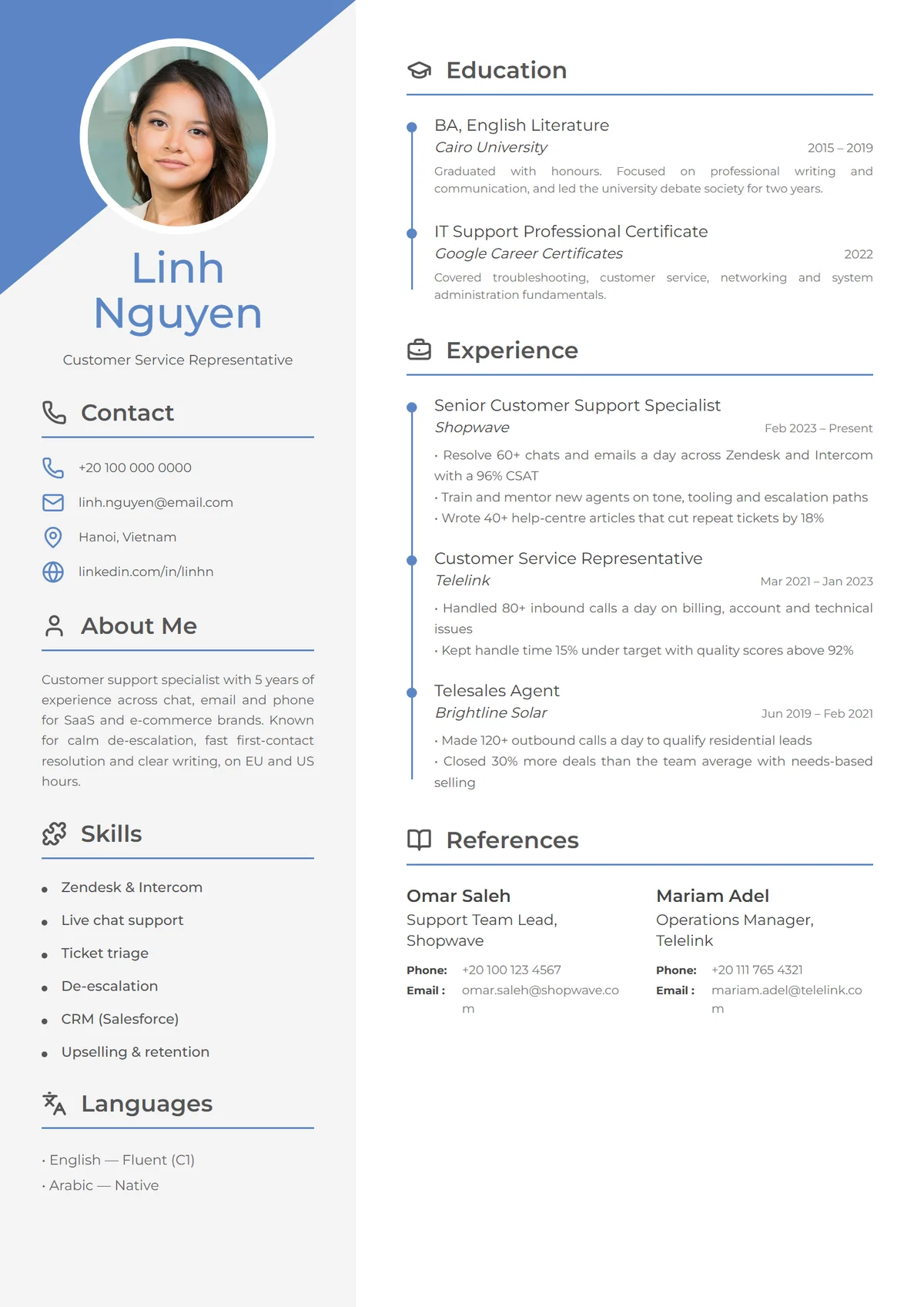
Sapphire Sidebar is our favourite all-rounder for customer service, support and admin roles. A blue corner and icon headings make it feel friendly, and timelines in both columns keep a lot of experience tidy. Recruiters for customer-facing roles want to see that you're organised and approachable; this layout says both before they read a word.
Use it for: customer service, support, healthcare administration and remote support roles.
Best simple, ATS-friendly template: Ivy Classic
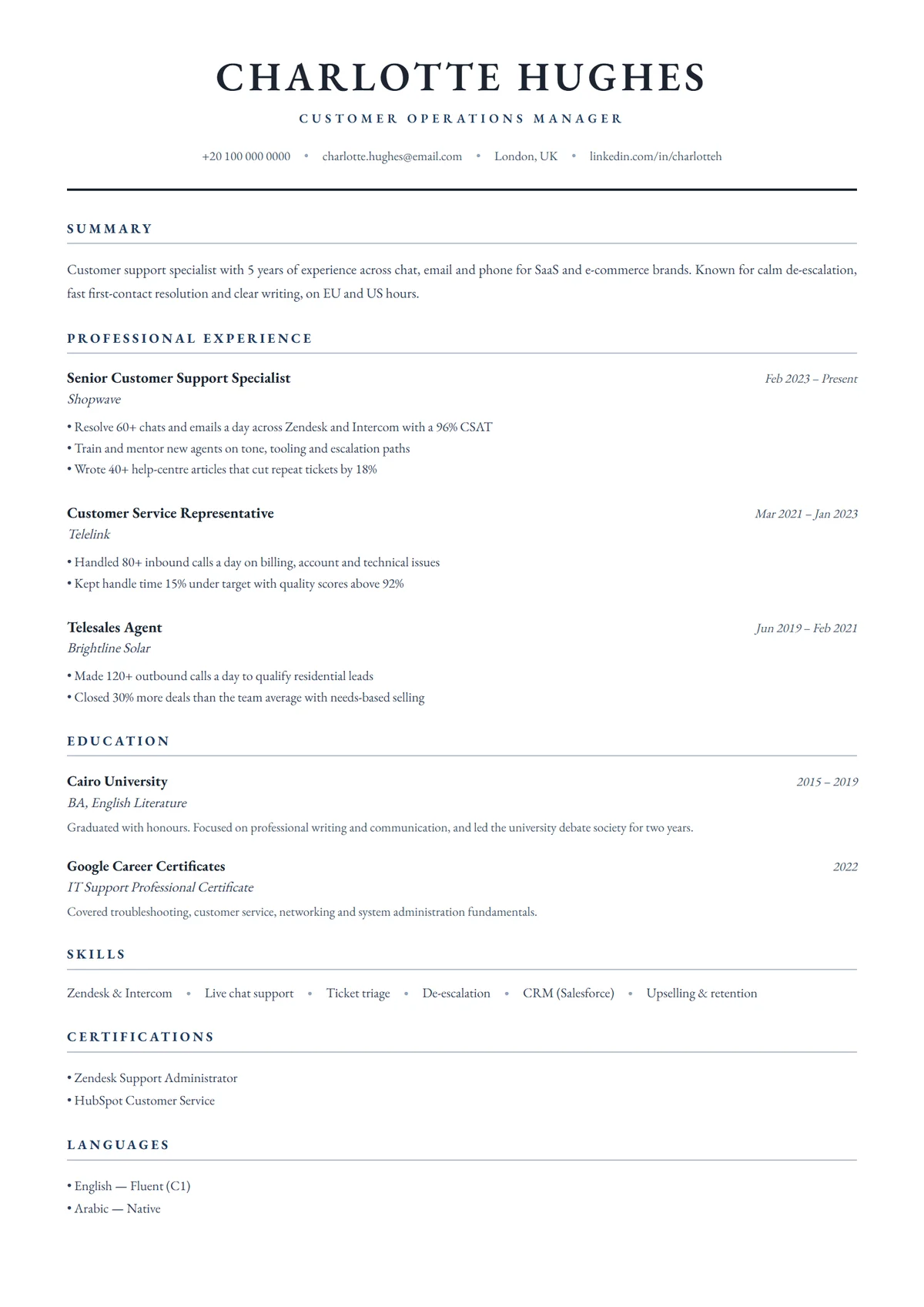
When your resume goes into a large company's careers portal, simple wins. Ivy Classic is a refined single column in a classic serif with navy accents. It reads top to bottom with no ambiguity, which is exactly how applicant tracking systems parse a page, and it still looks considered rather than plain.
Use it for: corporate portals, finance, law, government and anything with an online application form. Our guide to writing an ATS-friendly resume covers the content side.
Best for a first job or a career change: Skills Focus
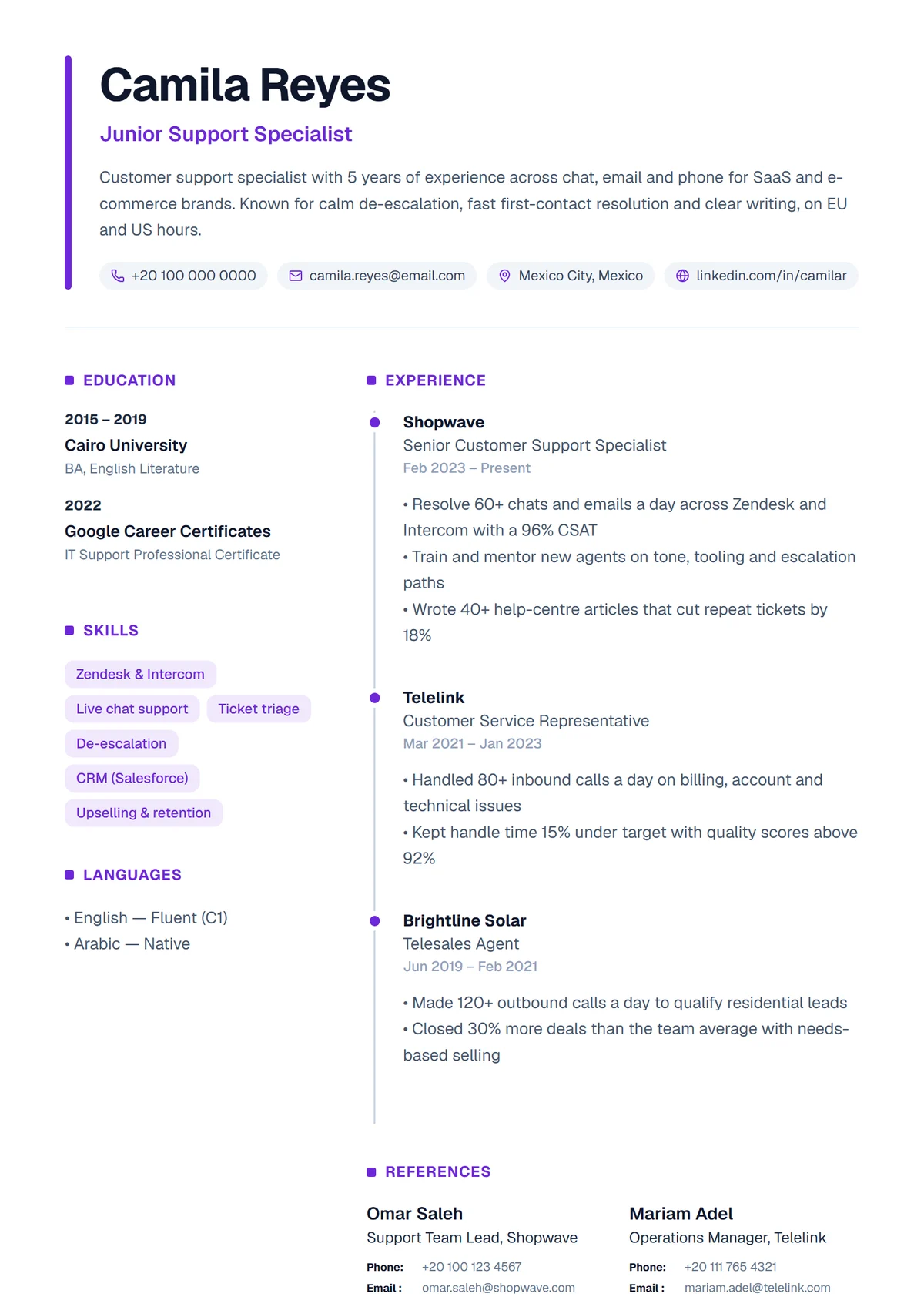
If your skills are stronger than your job history, don't make the recruiter dig for them. Skills Focus shows them as bold coloured tags in the column beside your experience, where they're the first thing the eye lands on. It's also available in warm amber.
Use it for: graduates, first jobs, bootcamp and certificate holders, and career changers. See how to write a resume with no experience for what to put in it.
Best bold design: Volt Diamond
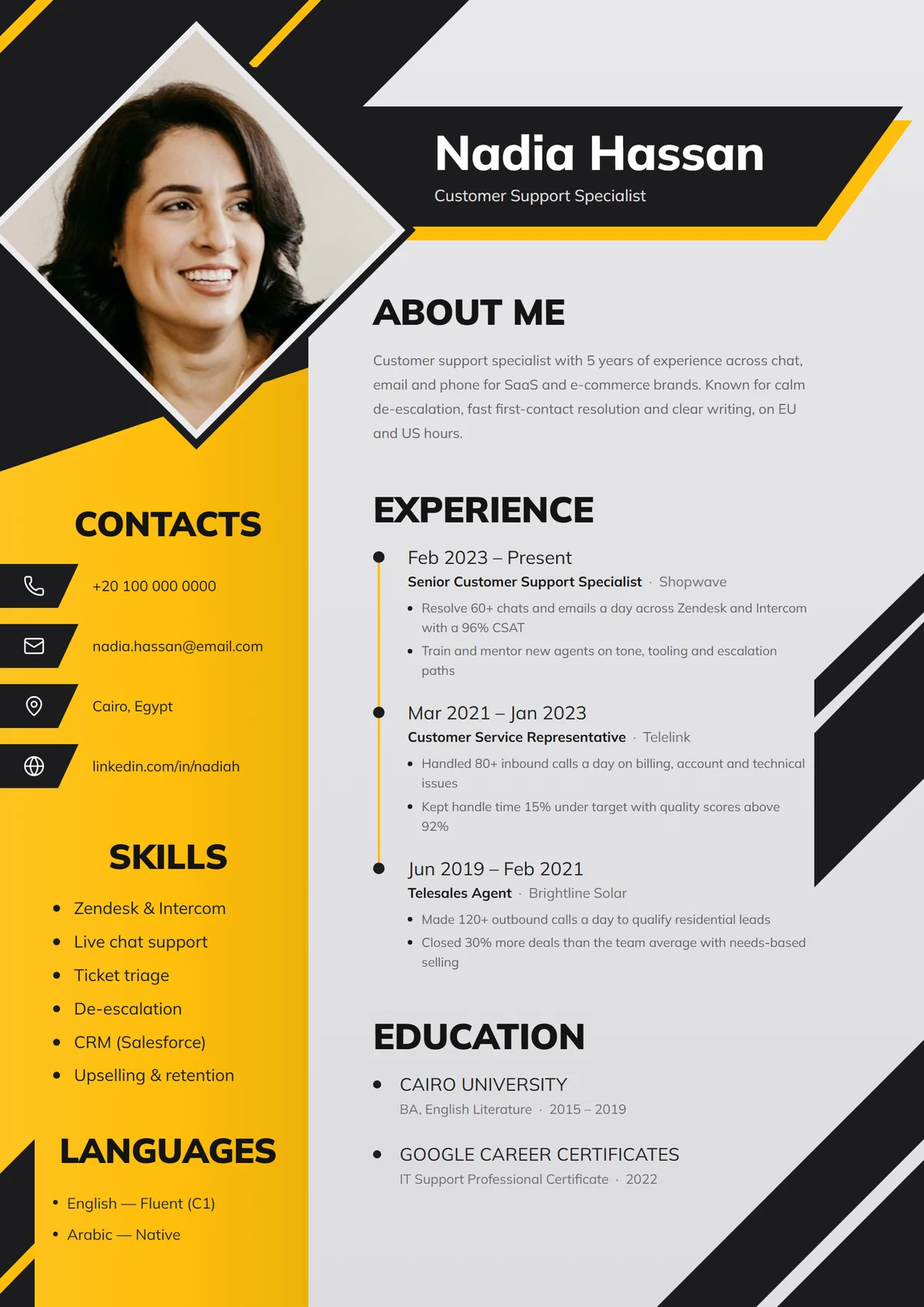
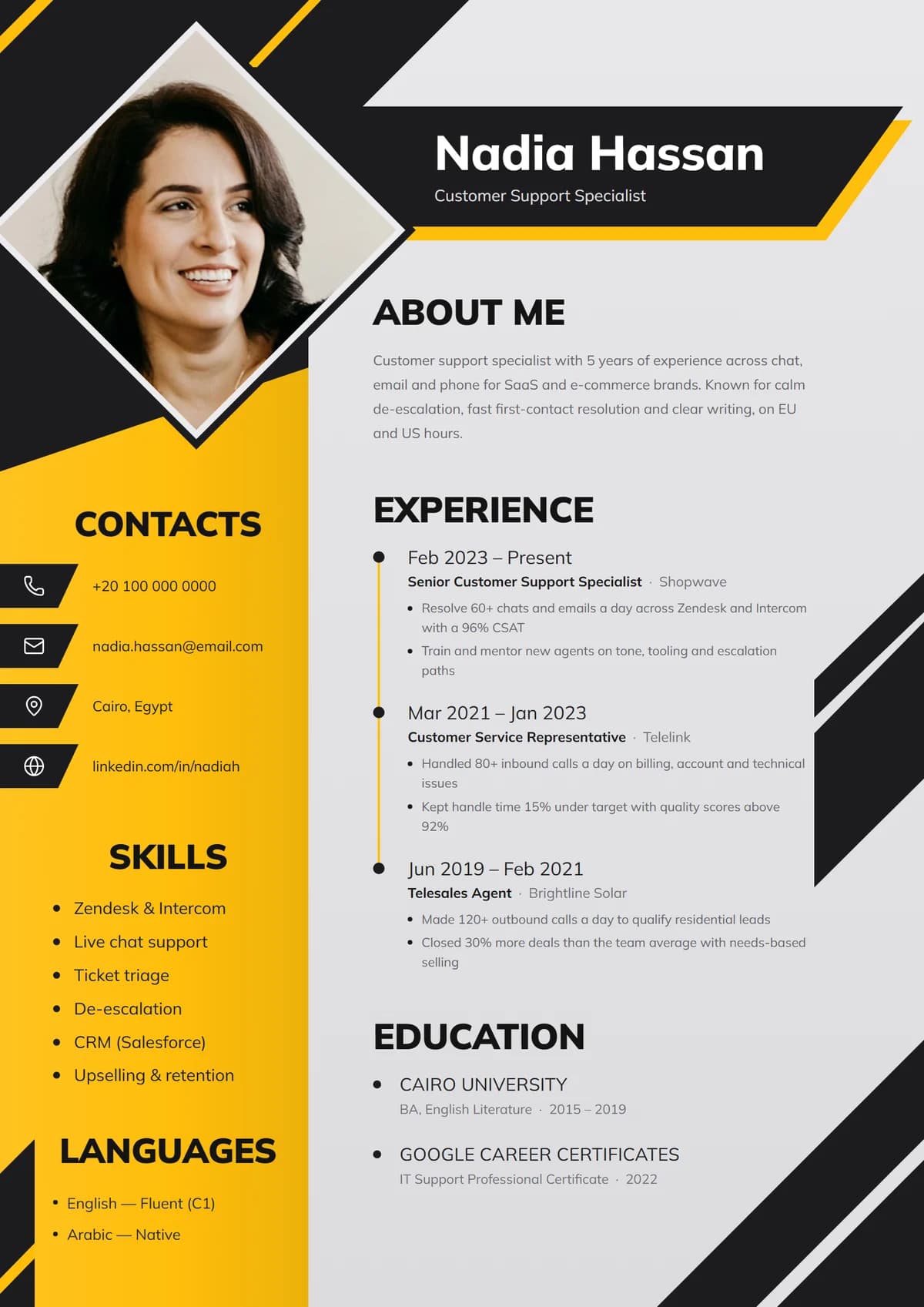
Volt Diamond is the design people remember. A diamond-cropped portrait, hazard-stripe corners and an amber side panel make it stand out in any pile, while the light main column keeps your experience easy to read. It's part of our yellow collection, six bold designs built for impact.
Use it for: emailed applications, start-ups, sales, marketing, hospitality and any role where personality is part of the job. For a big company's portal, switch the same content into a simple design.
Best for technical support and IT: Marquee Band
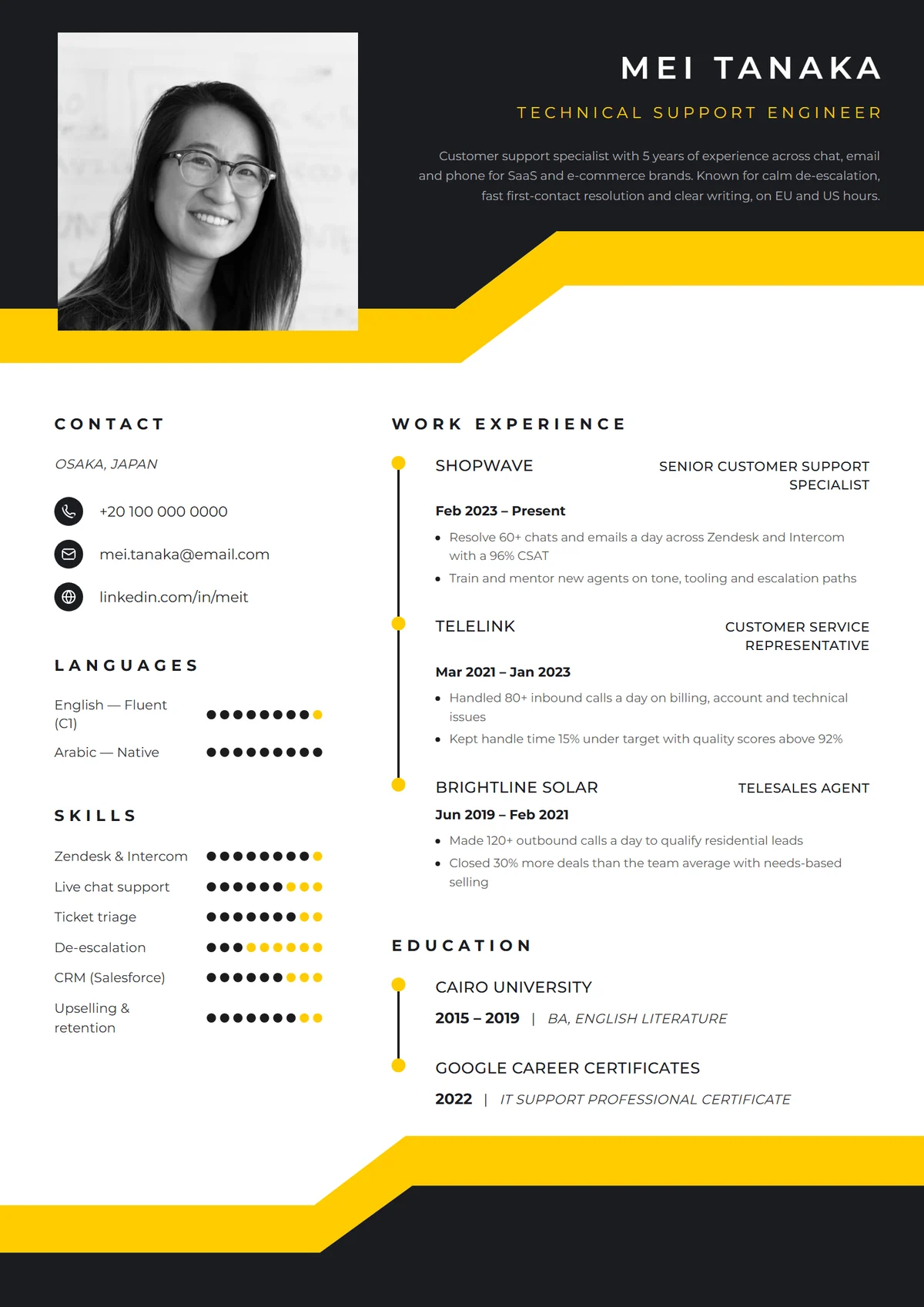
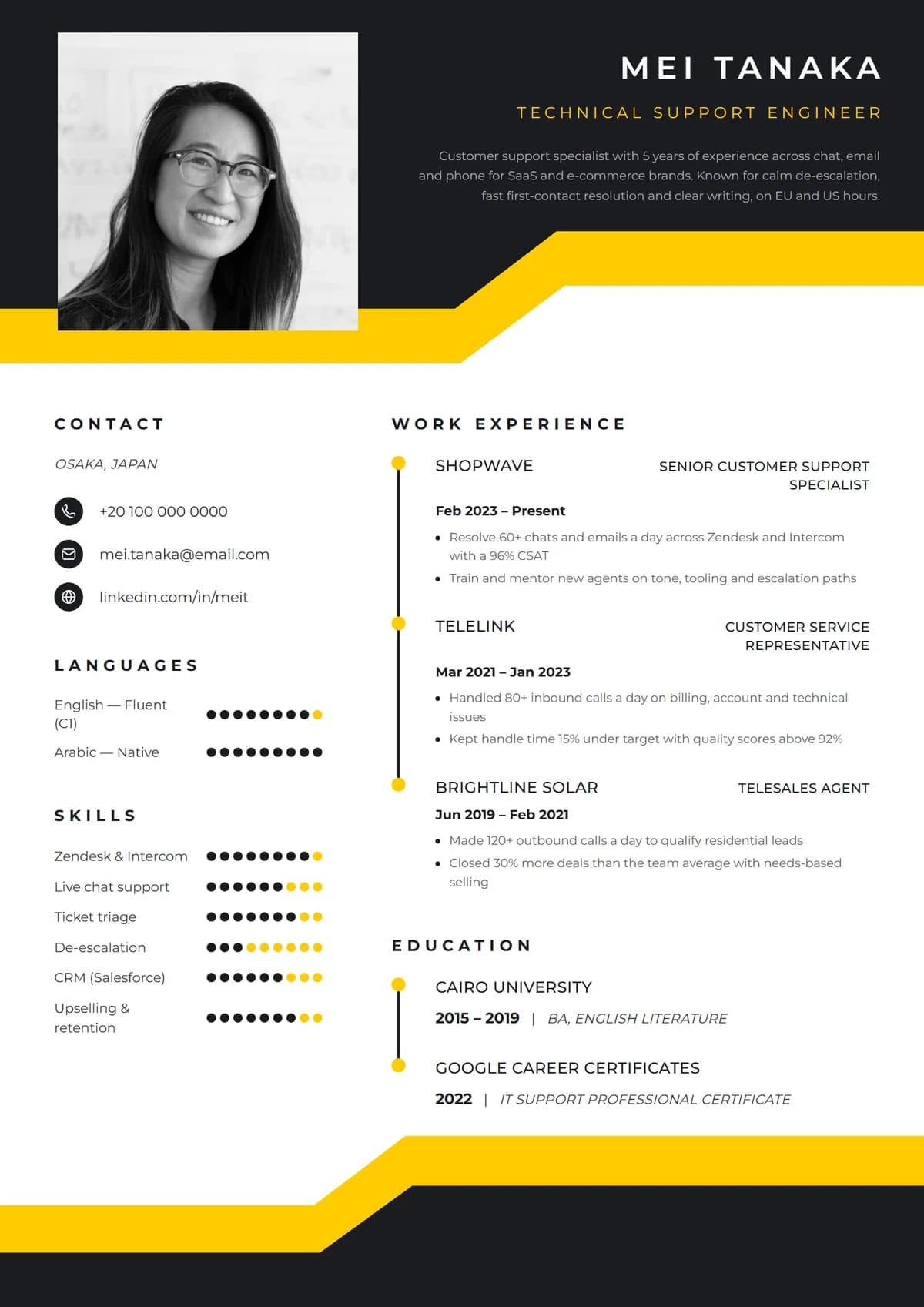
A black header with an angled yellow band gives Marquee Band a confident top, and the structured two-column body with rating dots suits technical roles where tools and languages matter. It feels modern without being playful.
Use it for: technical support, IT help desk, sales development and operations roles.
Best for senior and executive roles: Monarch Executive
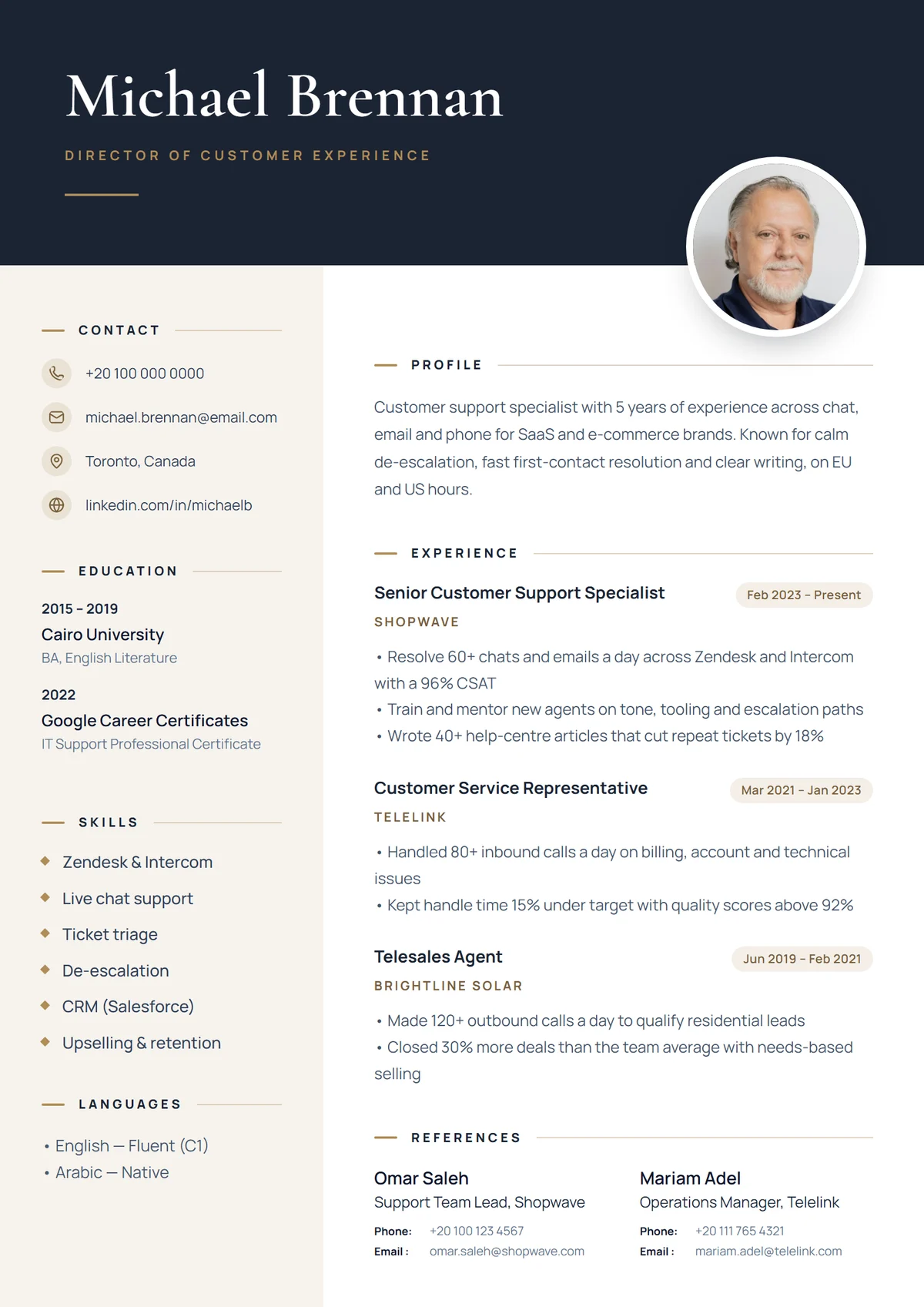
Senior resumes need room: a strong summary, scope and results for each role, and a hierarchy that makes ten years of experience easy to follow. Monarch Executive pairs navy with antique gold and editorial type, and leaves generous white space so nothing feels crammed. For a metallic alternative, look at Gilded Gold or Platinum Edge.
Use it for: directors, managers, consultants and senior individual contributors.
Best template with a photo: Elegant Portrait
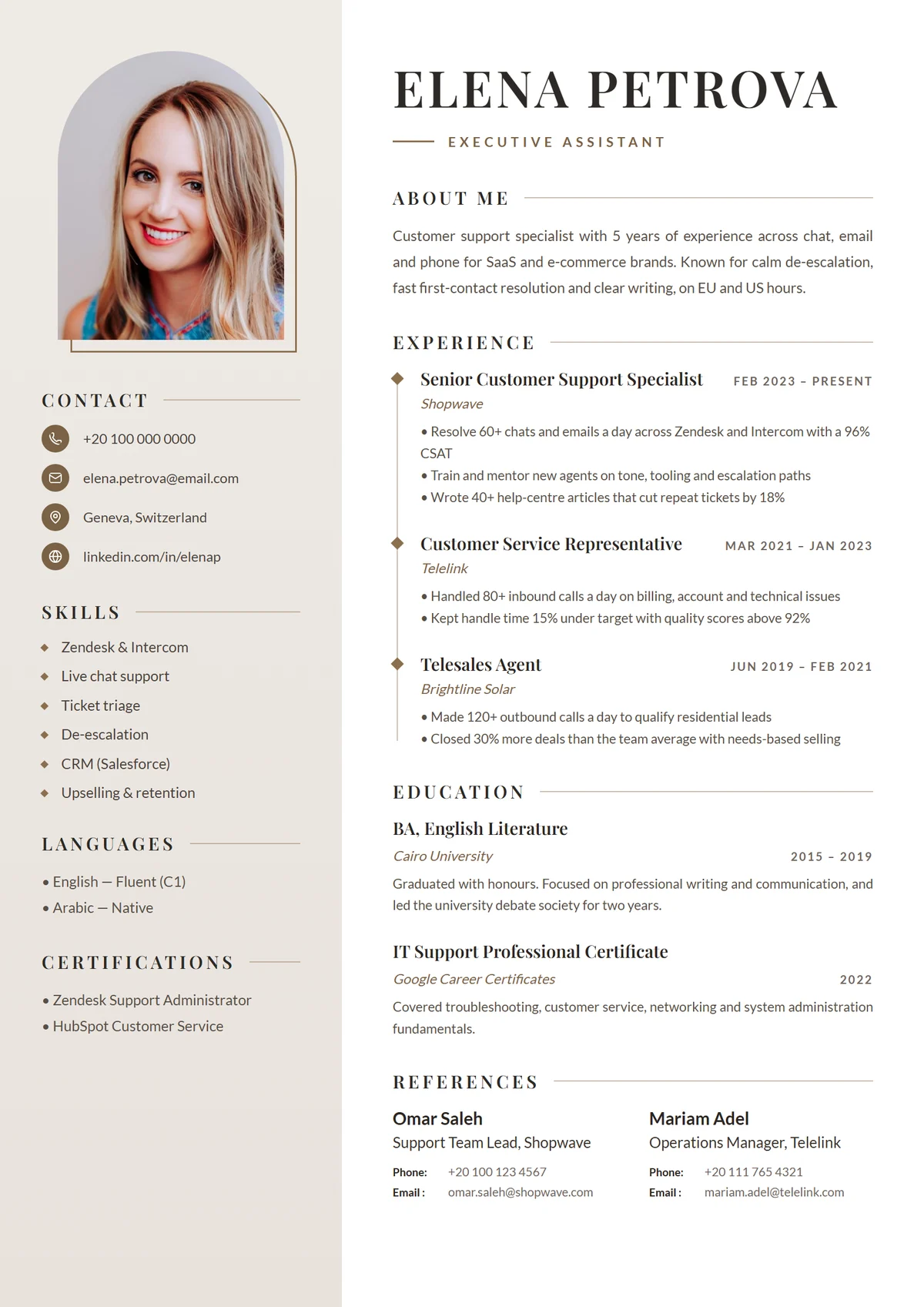
In Germany, much of Europe, the Gulf and many Asian countries, a photo is still expected. Elegant Portrait is built around one: a large portrait at the top, warm brown accents and graceful headings. Leave the photo out for the US, UK, Canada or Australia and it shows your initials instead. Browse every resume template with a photo, and check resume vs CV for the photo rules by country.
Use it for: hospitality, executive assistants, healthcare, and applications in regions where photos are the norm.
Best for social media and community roles: Blush Studio
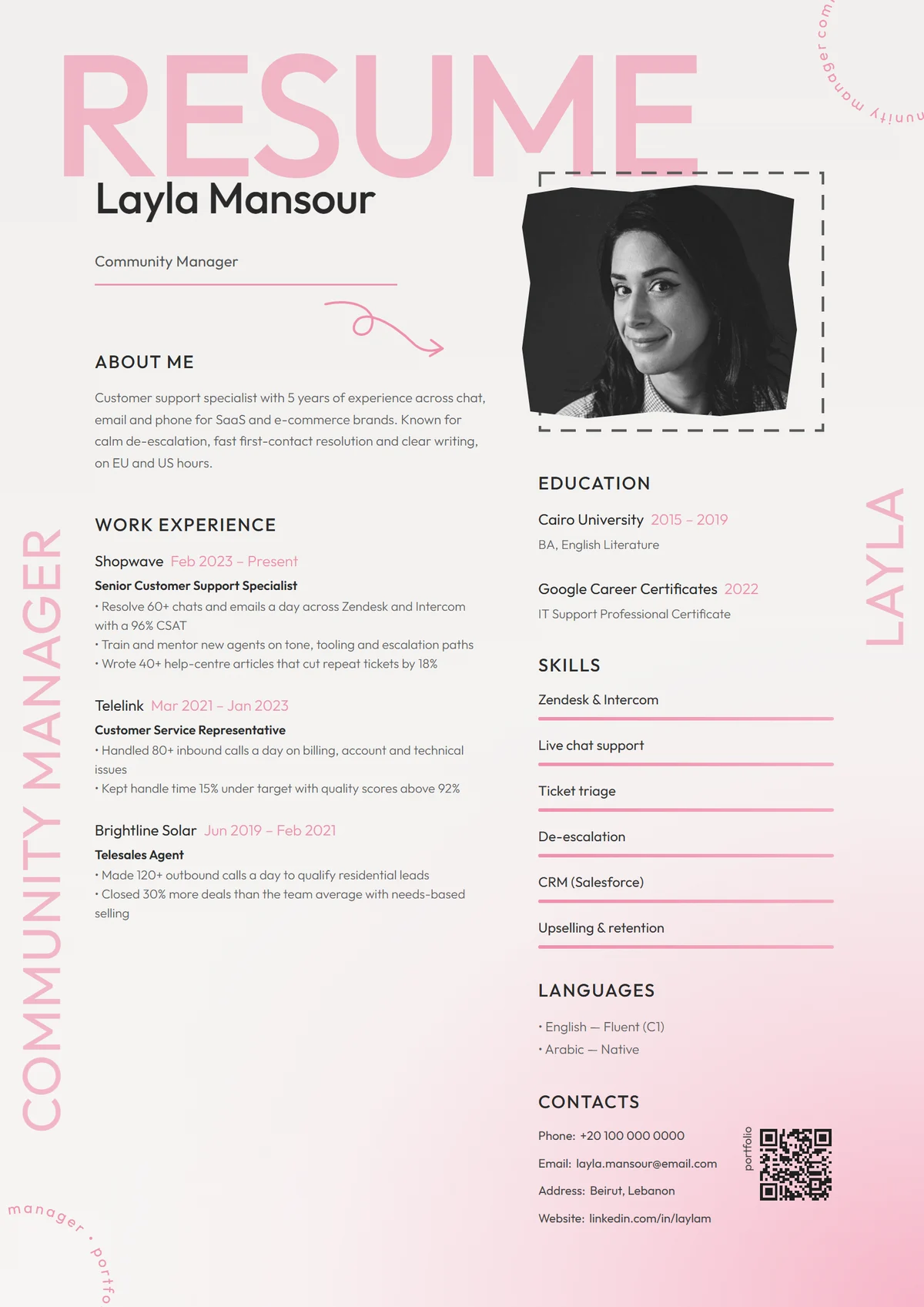
Creative roles reward a resume with personality, as long as it's still easy to read. Blush Studio has a soft pink wash, an oversized title and a taped-in photo, and keeps the content in a clear two-column grid. If pink isn't you, Noir Vertical does the same job in dramatic charcoal.
Use it for: social media, community management, content, beauty and lifestyle brands.
Best for fitting a lot on one page: Sidebar Profile
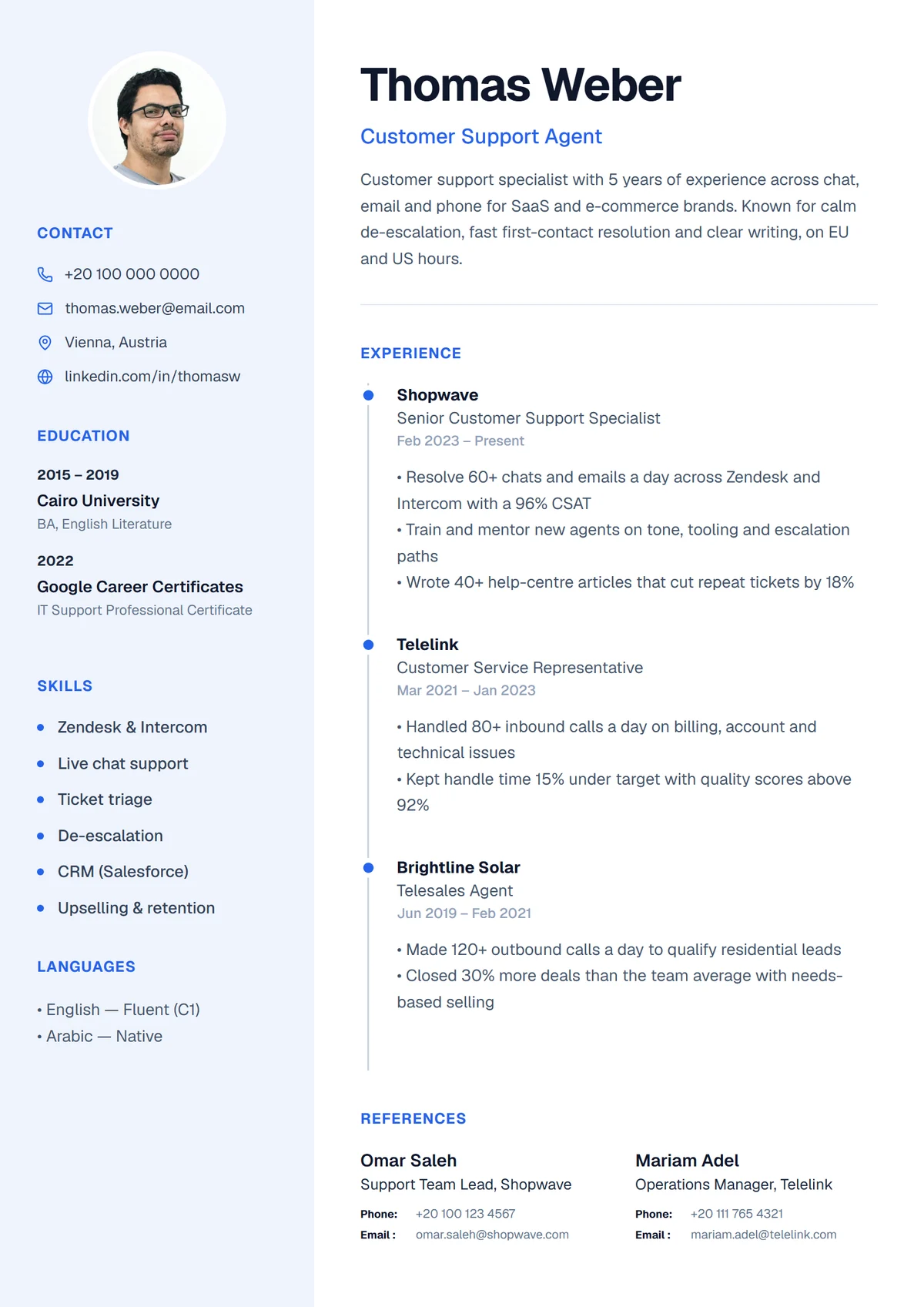
Lots of short items, such as tools, languages and certificates, eat up space in a one-column layout. Sidebar Profile moves them into a side panel next to your photo and gives your experience the full main column. It's also available in emerald green. See all two-column resume templates.
Use it for: bilingual and multilingual candidates, IT and admin roles, and anyone with lots of tools to list.
Best for printing: Canary Frame
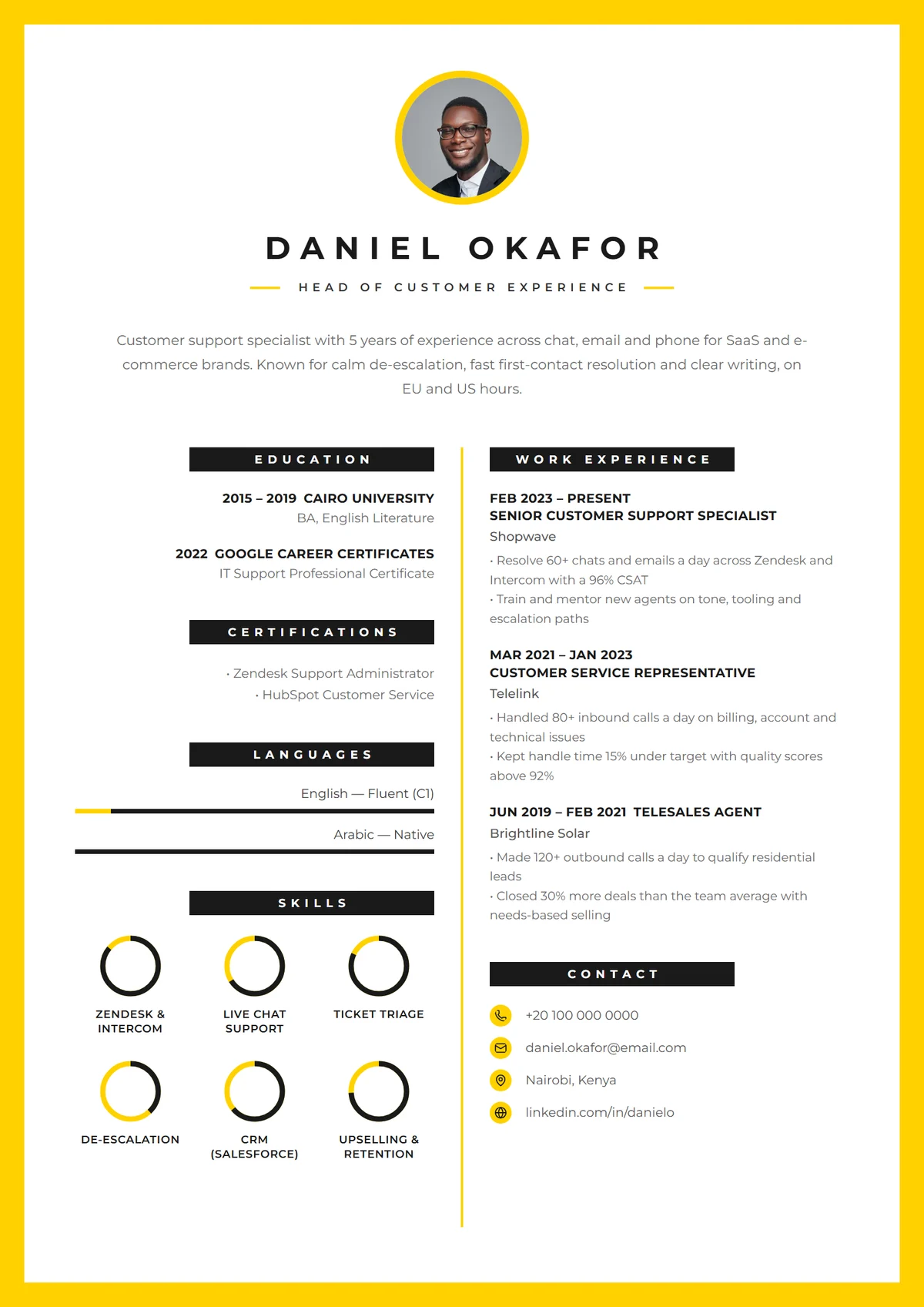
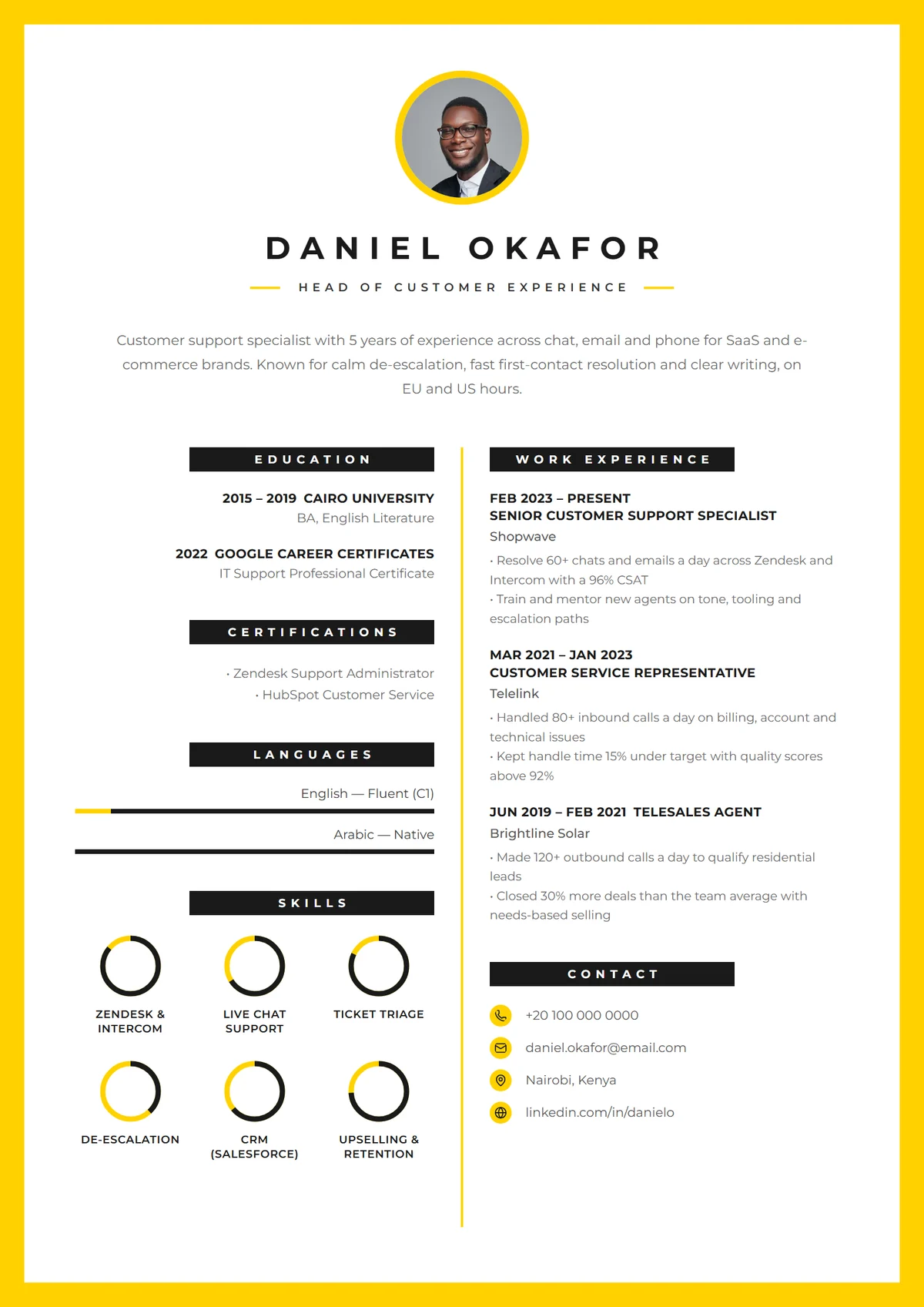
A printed resume handed over at a job fair or interview should look finished in the hand. Canary Frame wraps the whole page in a bold yellow border, centres a CV mark under your name and shows skills as rings. Like every design here, it keeps the text dark on white, so it prints crisply on any office printer.
Use it for: job fairs, in-person interviews, customer experience leaders and consultants.
Templates to avoid
Whatever builder you use, skip a template if it has:
- Text inside images or shapes. Software can't read it, and neither can screen readers.
- Contact details only in the page header or footer. Some systems ignore those areas.
- Tiny fonts squeezed in to fit a busy design. Body text should be 10 to 12 points.
- Large dark areas behind long text. Hard to read on screen and expensive to print.
- More than one accent colour competing for attention.
- Skill bars for everything. A half-empty bar next to a skill you listed raises doubts. Use them for languages, where levels mean something.
How to choose between two favourites
If you're torn, put your own content into both and look at them side by side. Ask:
- 1.Can I find my current job title in under two seconds?
- 2.Does the design still look balanced with my real experience, not the sample?
- 3.Would I be comfortable if this landed on the desk of the most conservative person at the company?
For a deeper look at columns, colour, fonts and photos, read how to choose a resume template.
Try them with your own details
You can browse all of our designs on the resume templates page, or by style: simple, professional, creative and yellow. When you sign up free, the builder fills in your name, experience and skills from your profile, so switching between templates takes a click and you can download whichever one fits the job. Then follow the step-by-step resume guide to make every section count.