{Yellow resume templates}
Canary Frame resume template
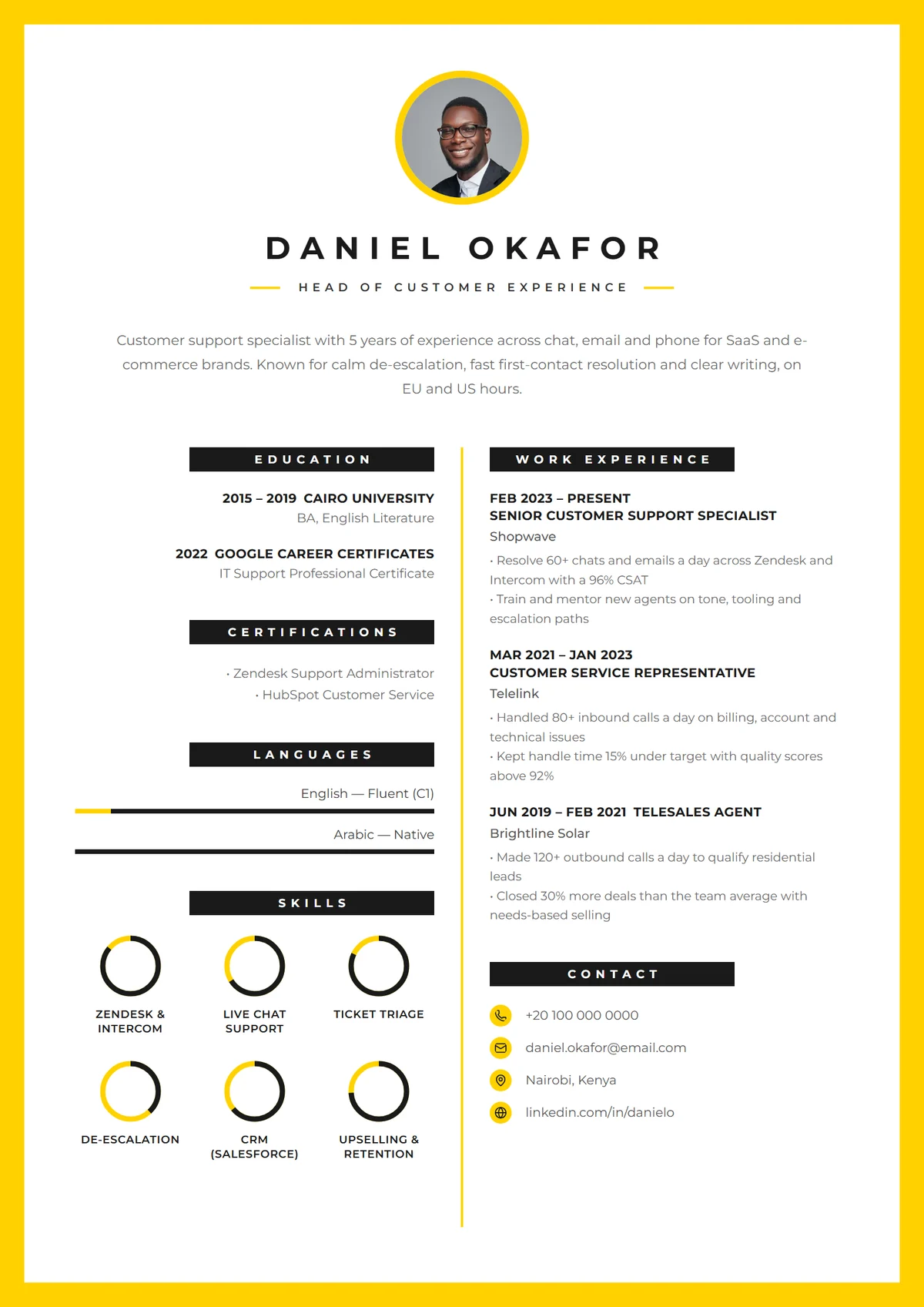
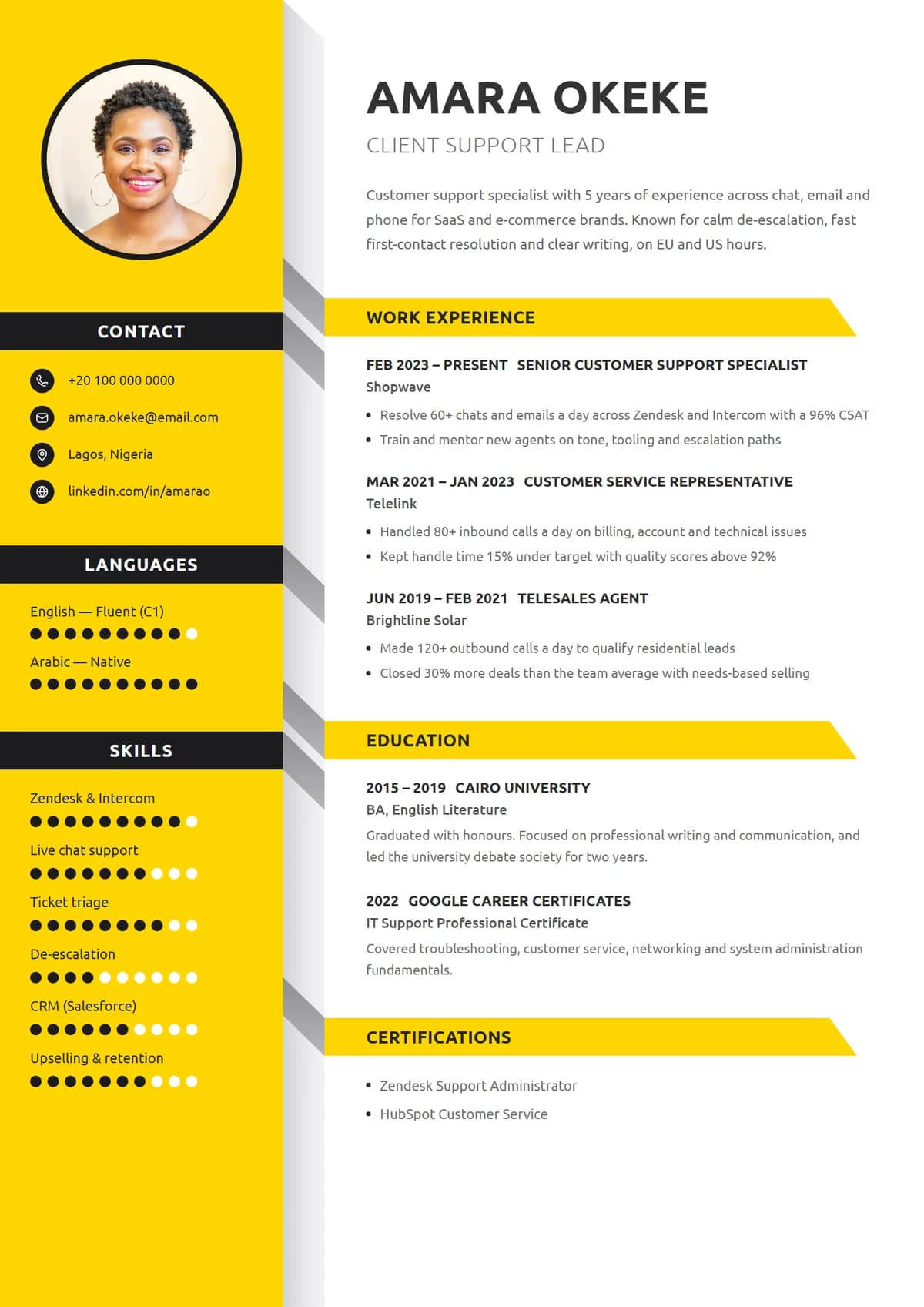
A bold yellow border frames the whole page, with a centred CV mark and skill rings. Canary Frame feels finished and deliberate, the way a printed portfolio does.
- Colour
- Yellow
- Layout
- Two columns
- Photo
- Optional
- Format
- A4 PDF
- Price
- Free
Best for
- Customer experience leaders
- Project and operations managers
- Consultants
- Anyone printing their resume
In the design
- Full yellow frame
- Round photo
- Skill rings
- Spaced-out name
Tips for the Canary Frame layout
- Use the sidebar for short items
- Canary Frame has a side column: keep contact details, skills, languages and certificates there, and give your experience the main column.
- Photo or initials
- Add a headshot where photos are expected (much of Europe, the Gulf and Asia). Leave it off for the US, UK, Canada and Australia, and the design shows your initials instead.
- Send it to a person
- Bold designs make the biggest impression when a recruiter opens your file directly. For a big company's online portal, switch your content into a simple design in one click.
- Keep it to one page
- Under ten years of experience, one page is plenty. Trim older roles to a line each before shrinking the font.
Also in:Yellow resume templates,Creative resume templates,Resume templates with photo,Two-column resume templates
{How it works}
Make Canary Frame yours in minutes.
- 1
Pick a design
Choose any of our 28 templates. You can switch later without retyping a word.
- 2
We fill it in
Your name, experience, education and skills come straight from your profile.
- 3
Make it yours
Edit the text, move or restyle anything, change colours and fonts on the page.
- 4
Download the PDF
A crisp A4 PDF with real, selectable text that application systems can read.
{Similar templates}
You might also like.
Is the Canary Frame resume template free?
Yes. Sign up free, choose Canary Frame and your details are filled in from your profile. Edit it online and download it as a PDF.
Is Canary Frame ATS-friendly?
The PDF has a real text layer, so applicant tracking systems can read your words. Canary Frame is a designed template, so it's at its best when a person opens your resume; for big companies' online portals, a simple design is the safest.
Can I use Canary Frame without a photo?
Yes. Leave the photo out and Canary Frame shows your initials in its place, so the design still looks complete.
Can I change the colours and fonts?
Yes. Recolour, restyle or move any element of Canary Frame, change the fonts, and add or remove sections. Your content stays put while you experiment.