A resume template can't get you a job on its own, but the wrong one can cost you. A layout that's hard to read, too busy for the industry, or broken by an applicant tracking system means your experience never gets a fair look. The right one makes a recruiter's seven-second scan easy and leaves an impression of someone organised and professional.
Here's how to choose, based on where you're applying and what you're applying for.
Start with three questions
- 1.How will the resume be read? Uploaded to a big company's application portal, emailed to a recruiter, or attached to a direct message?
- 2.What does the industry expect? Banks and law firms prefer quiet layouts; startups and creative teams are more open to design.
- 3.Which country is the employer in? That decides whether a photo is expected or unwelcome.
Simple or designed?
| Simple template | Designed template | |
|---|---|---|
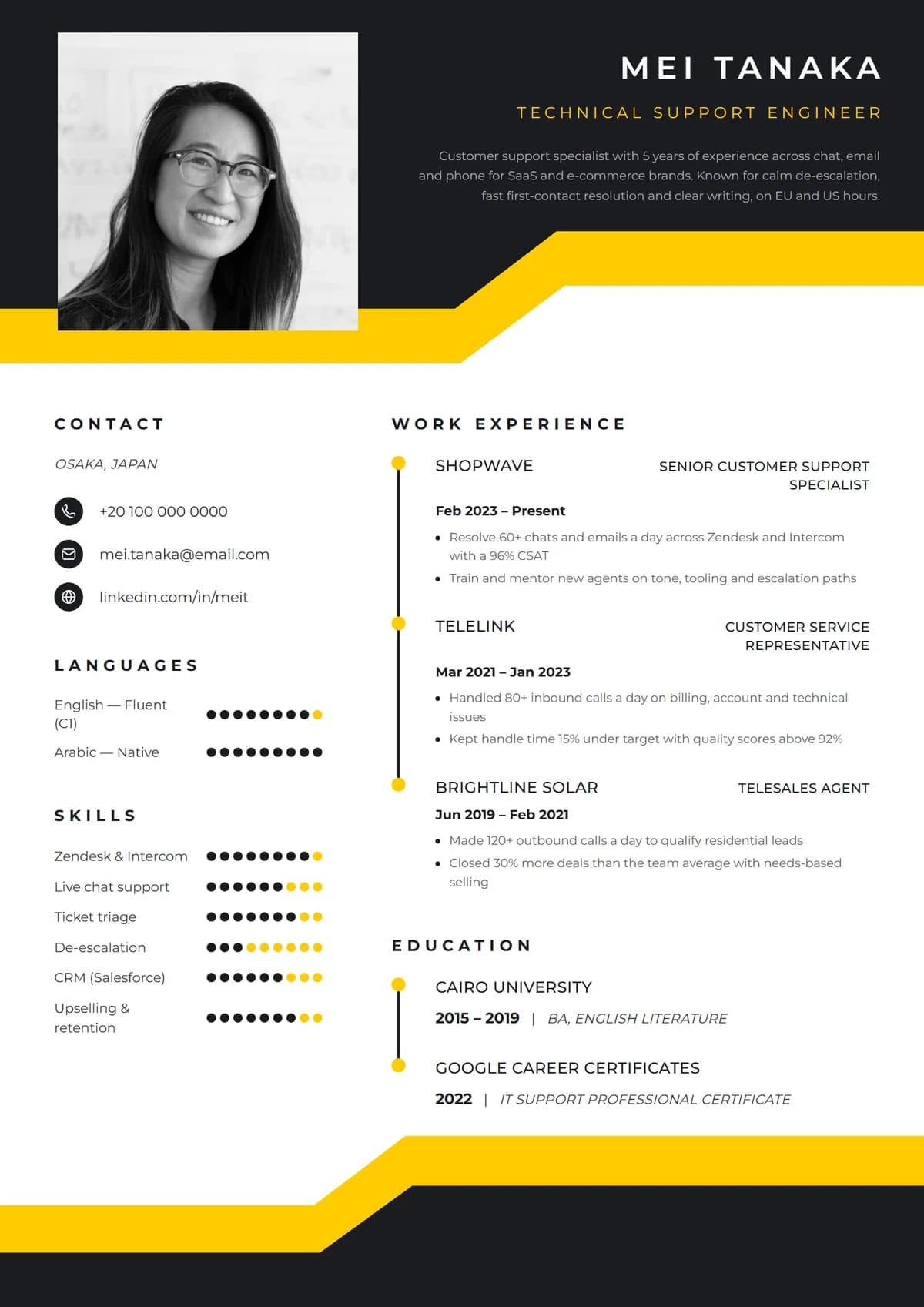
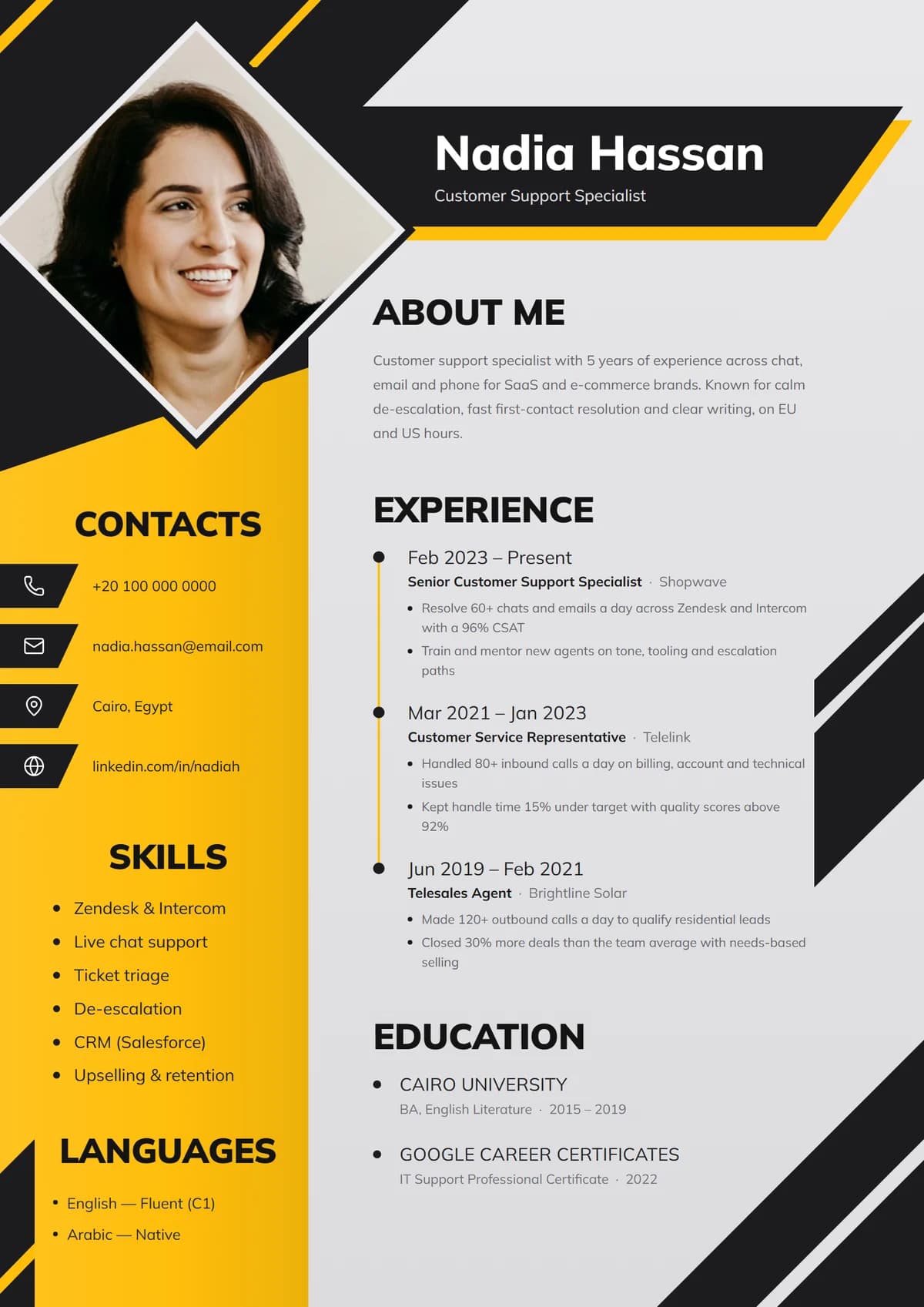
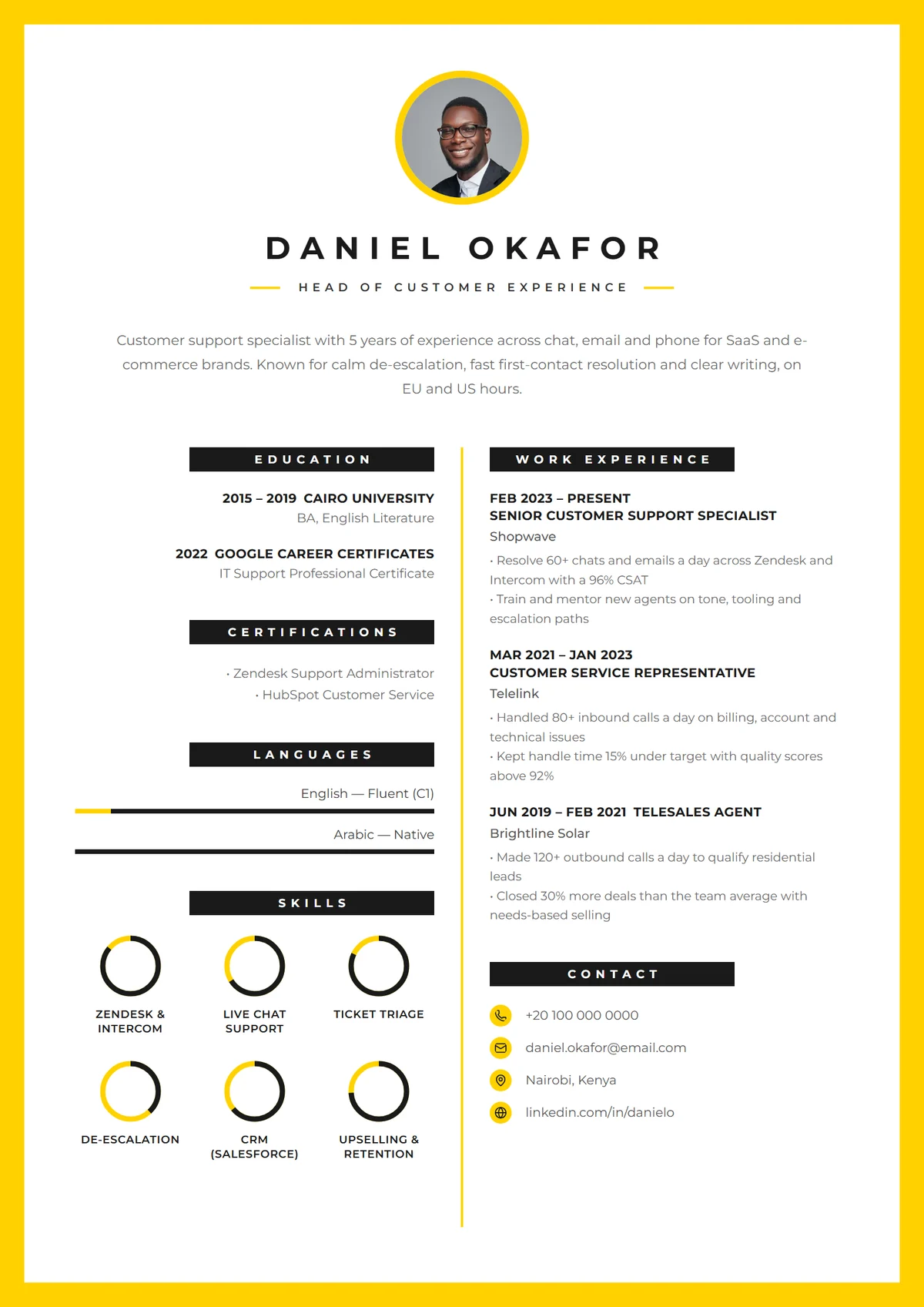
| Looks | One column, black text, light accents | Colour panels, sidebars, icons, photo spot |
| Best for | Large employers with online portals, finance, law, government | Emailed applications, startups, customer-facing, creative and marketing roles |
| ATS-safe? | Very | Yes, if text stays real text |
| Stands out? | Through content | Through content and look |
Neither is "better". A simple template puts all the attention on your words; a designed one helps you be remembered in a pile of identical documents. What matters is that the design never makes the content harder to read.
Rule of thumb: if you'll upload it to a corporate careers portal, choose simple. If a person will open it directly, a designed template is a good way to stand out.
One column or two?
- One column reads top to bottom with no ambiguity. It's the safest choice for older applicant tracking systems and very text-heavy experience.
- Two columns use space well: contact details, skills and languages in a sidebar, experience in the main column. Most modern systems read them correctly, and they help fit a lot onto one page.
If you have long, detailed experience, one column gives it room. If you have lots of short items (skills, tools, languages, certificates), two columns organise them neatly. See how to write an ATS-friendly resume for how parsers read layouts.
Photo or no photo?
- Leave it off for the US, Canada, UK, Ireland, Australia and New Zealand, and for most remote roles with international companies.
- Include one where it's the norm: much of continental Europe, the Middle East and North Africa, and many Asian countries.
Choose a template that looks complete either way. In Remote's builder, every design works without a photo, and the ones built around a portrait show your initials in its place, so you can use the same design for both. Resume vs CV has the country-by-country detail.
Colour
- One accent colour is enough: headings, a sidebar, or a thin rule.
- Contrast matters. Light grey text on white, or white text on yellow, is hard to read and prints badly.
- Match the industry: navy, charcoal and deep green read as conservative; yellow, coral and purple read as energetic and creative.
- Check it in black and white. Some recruiters still print resumes.
Fonts
A template with clean, readable fonts at 10 to 12 points for body text is worth more than any decoration. Display fonts belong in your name and headings at most. If you can't read a bullet point at arm's length, the font is too small or too fancy.
Skill bars, rings and dots
Visual ratings are popular in designed templates. They work well for languages, where levels mean something, and as a visual accent. For software skills, keep the skill name as text and don't rate yourself low; a half-empty bar for a skill you've listed raises doubts. Skills to put on a resume covers which skills earn their place.
Matching a template to your situation
- Customer service, sales and support: clean two-column layouts with one accent colour, such as Sidebar Profile, Sapphire Sidebar or Honey Studio.
- Corporate portals, finance and law: Ivy Classic, Clean Minimal or Classic Professional.
- Senior and executive roles: Monarch Executive or Elegant Portrait, with generous spacing and a strong name.
- Marketing, social media and creative roles: bolder designs such as Volt Diamond, Marquee Band, Blush Studio or Pop Binder.
- Recent graduates: a simple layout with skills and education near the top, such as Skills Focus.
Red flags in a template
- Text inside images or decorative shapes covering words.
- Tiny fonts squeezed in to fit a busy design.
- Contact details only in the page header or footer.
- Dark backgrounds on large areas of text.
- A layout so unusual that the reader can't tell where to start.
Try several in seconds
The quickest way to choose is to see your own content in a few designs. In Remote's resume builder your content stays the same while you switch between more than 25 templates, including the bold Premium Yellow collection, so you can compare a simple and a designed version side by side and download whichever fits the job. Sign up free to try them, and follow the step-by-step resume guide to fill yours in.