{Simple resume templates}
Classic Professional resume template
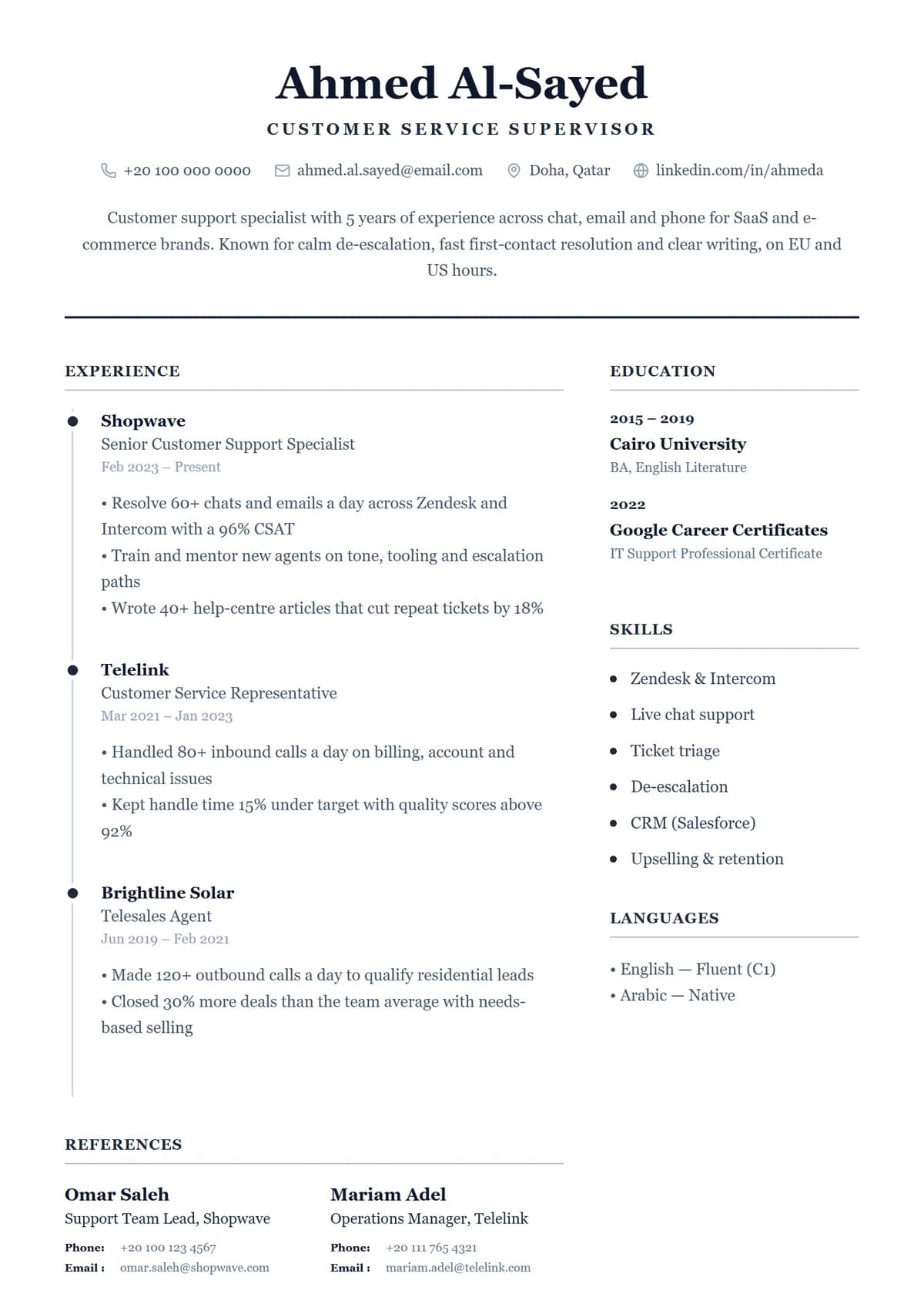
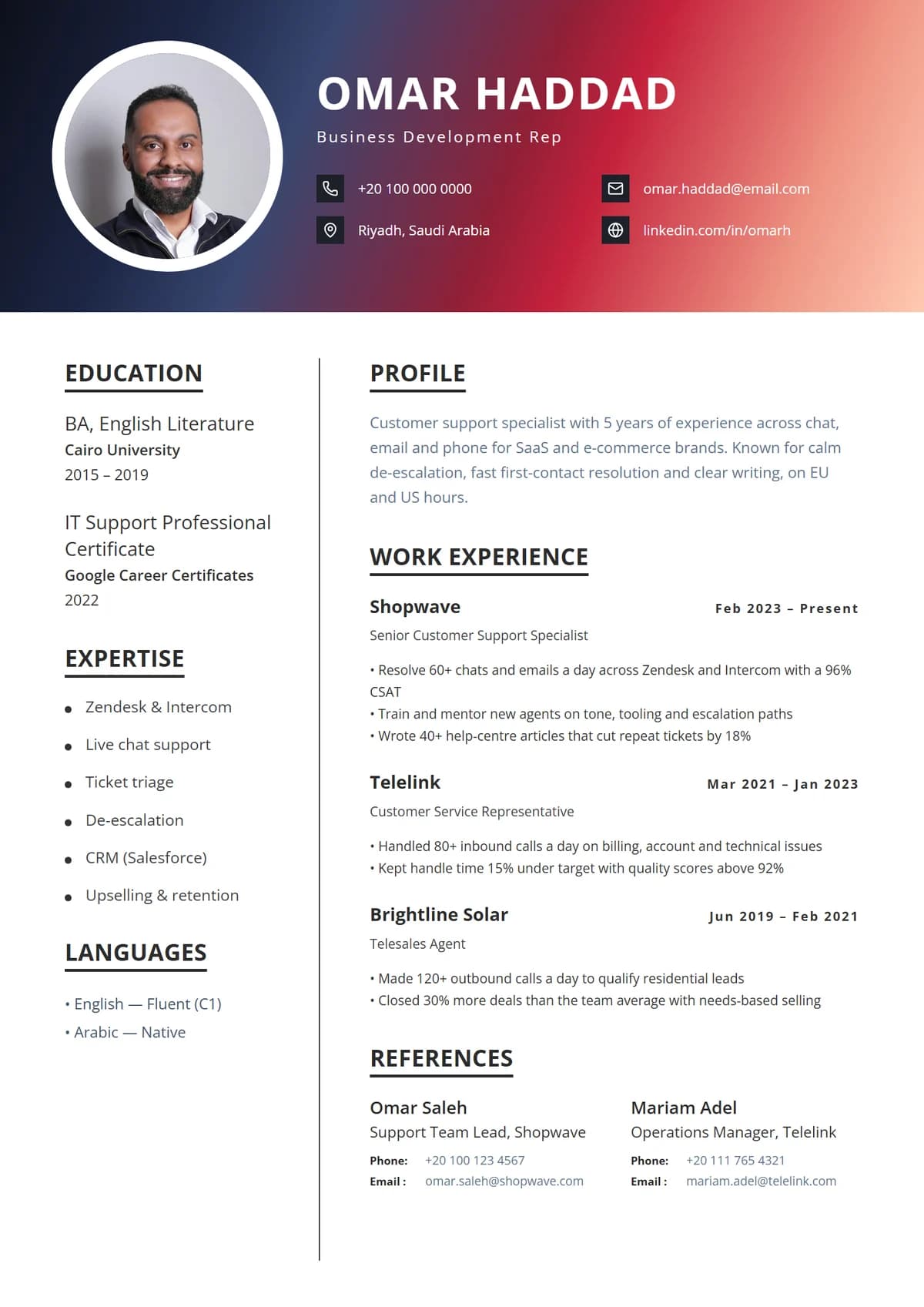
A centred serif header with your contact details on one line, then a ruled body with experience on the left and education, skills and languages beside it. Classic Professional is the resume most recruiters picture: familiar, formal and easy to read.
- Colour
- Charcoal
- Layout
- Two columns
- Photo
- No photo
- Format
- A4 PDF
- Price
- Free
Best for
- Banking, insurance and law
- Government and public sector
- Corporate portals
- Conservative industries
In the design
- Centred serif header
- Ruled sections
- Traditional layout
- No photo
Tips for the Classic Professional layout
- Use the sidebar for short items
- Classic Professional has a side column: keep contact details, skills, languages and certificates there, and give your experience the main column.
- No photo needed
- Classic Professional has no photo spot, which suits the US, UK, Canada and Australia, where most employers prefer resumes without photos.
- Safe for application portals
- A clean layout like this is read correctly by applicant tracking systems, so it's the right choice for big companies' careers sites.
- Keep it to one page
- Under ten years of experience, one page is plenty. Trim older roles to a line each before shrinking the font.
Also in:Simple resume templates,Professional resume templates,Two-column resume templates
{How it works}
Make Classic Professional yours in minutes.
- 1
Pick a design
Choose any of our 28 templates. You can switch later without retyping a word.
- 2
We fill it in
Your name, experience, education and skills come straight from your profile.
- 3
Make it yours
Edit the text, move or restyle anything, change colours and fonts on the page.
- 4
Download the PDF
A crisp A4 PDF with real, selectable text that application systems can read.
{Similar templates}
You might also like.
Is the Classic Professional resume template free?
Yes. Sign up free, choose Classic Professional and your details are filled in from your profile. Edit it online and download it as a PDF.
Is Classic Professional ATS-friendly?
Yes. Classic Professional is a clean layout with a real text layer in the PDF, so applicant tracking systems read it correctly.
Can I use Classic Professional without a photo?
Classic Professional doesn't use a photo at all, so there's nothing to leave out.
Can I change the colours and fonts?
Yes. Recolour, restyle or move any element of Classic Professional, change the fonts, and add or remove sections. Your content stays put while you experiment.